L-Shaped vs. Straight Desks for Work-from-Home Productivity

You know the moment. You swivel to grab a notebook and your elbow catches the desk edge, or you nudge a second monitor half off the side because there is nowhere else for it to live. Desk shape doesn't announce itself, but it shapes hundreds of small movements a day, and those movements either disappear into the background or grind on you by Thursday afternoon.
The choice between an L-shaped desk and a straight one comes down to a few practical questions: how your room is laid out, where your cables can go, how many screens you actually use, and how many people walk through the space. Work through those and the answer usually picks itself.
What Desk Shape Really Changes
A desk does two jobs: it gives you surface to work on, and it claims a position in the room. A straight desk is a rectangle you push against a wall or float in the middle of a space. An L-shaped desk wraps two sides of your chair, usually by taking over a corner.
Worth knowing before you shop: "L-shaped" covers two fairly different products. One is a purpose-built corner desk, often with a diagonal panel across the inner corner. The other is a straight desk with a return, or two rectangular tops butted together. The second type is easier to move and cheaper to replace piece by piece, but the joint in the middle can be a weak point if the hardware is thin.
Corner Space: The Real Trade-Off
An L-shaped desk buys you usable area without demanding more wall. A straight desk that is 60 inches wide gives you a single 60-inch run. A comparable L spreads that same footprint into a deep corner and two wings, which is why people with printers, second screens, or paper-heavy work tend to end up there.
What you give up is flexibility. Corner desks colonise the corner, and in a small room that corner might be where the window, radiator, or closet door lives. I have watched people buy a beautiful L-shaped desk and then realise they can no longer reach the bookshelf behind it. Straight desks slide, rotate, and double as a room divider when you float them a few feet off the wall.
Sizing sanity checks
- Straight desk: at least 48 inches wide for a laptop plus one monitor; 60 inches or more for two monitors and a keyboard with room to spare.
- L-shaped desk: look for a wing depth of 20 inches or more; shallower returns hold a mug and not much else.
- Both: confirm you have around 30 inches behind the chair so it can roll back without hitting a bed or wall.
Room Flow and Shared Space
If your office is a spare bedroom with a door you can close, flow matters less. If the desk sits in a living room, bedroom, or anywhere with a walking path, it matters a lot. A straight desk against a wall keeps the middle of the room clear. An L-shaped desk that spans two walls can trap a door swing or turn a corridor into an obstacle course.
Before ordering anything, tape the footprint on the floor with painter's tape and live with it for a day. Sit in the chair, roll back, open the closet, walk past with a laundry basket. Ten minutes of that saves a return shipment.
Cable Routing: Where Each Shape Wins
Straight desks are simpler by default. Everything runs to one wall, which means one grommet near the back edge, one under-desk tray, and one cable drop to the outlet. That single run is easy to bundle, label, and forget.
L-shaped desks have a longer path and often touch two walls, so you may need a longer cable or a second power strip on the far wing. The compensation is the corner itself, which is an excellent place to hide a power strip, a router, or a dock where nobody can see the tangle.
- Mount a surge protector to the underside of the desk rather than leaving it on the floor.
- Label both ends of every cable you can't identify at a glance.
- Leave a service loop near the dock so you can pull the desk out without unplugging everything.
- Don't chain extension cords together, and don't pile every device in the room onto one outlet. If the room clearly lacks receptacles, that's a job for an electrician, not a longer cord.
Monitor Layouts That Actually Fit
On a straight desk, put your primary monitor dead centre at roughly arm's length, with the top of the screen near eye level. Angle a second screen toward you rather than leaving it flat against the wall. A third screen on a 60-inch desk usually means turning your head constantly, which gets old fast.
An L-shaped desk gives you two ways to sit. The first is in the corner, facing the diagonal, with the monitors set into the corner and the wings used for paper, a laptop, or a tablet. It looks impressive and gives you a lot of reachable surface, but both screens sit at an angle to your body, so your neck does more work.
The second, and for most people the better one, is to treat the L as a straight desk with a side return. Sit on the long wing with your main monitor straight ahead and the second monitor on the return, angled in. The return then becomes the spot for a printer, a reference binder, or a charging station, all within arm's reach but out of your sightline.
Matching the Shape to Your Workflow
Answer these honestly and the decision is mostly made:
- Do you regularly use three screens, spread out paper plans, or keep a scanner within reach? Lean L-shaped.
- Do you work from a single laptop and take most calls on it? A straight desk is plenty.
- Is the room smaller than about 100 square feet? Straight, unless you're willing to give up the corner entirely.
- Do you move every year or two? Straight desks travel better. Many L desks ship as two heavy pieces.
- Does the corner hold a door, window, radiator, or closet? Straight, and don't fight it.
Measure Twice, Then Commit
Check the desk height against your chair before anything else. Most desks sit somewhere around 28 to 30 inches, and if you're taller or shorter than average, an adjustable-height frame is worth the extra cost. Then verify knee clearance: on cheaper L-shaped desks, a chunky corner leg can land exactly where your knees want to go, which makes the extra surface useless.
Finally, think about what the desk will look like in two years. If you expect to add a second monitor, a dock, or a printer, buy the surface now rather than stacking equipment on top of each other later. If your setup is stable and simple, a straight desk keeps money in your pocket and floor space in your room.
One practical note: if you're already dealing with persistent neck, wrist, or back discomfort, rearranging furniture won't resolve it on its own. It's worth talking to a physical therapist or ergonomics professional about your specific setup rather than guessing from an article.
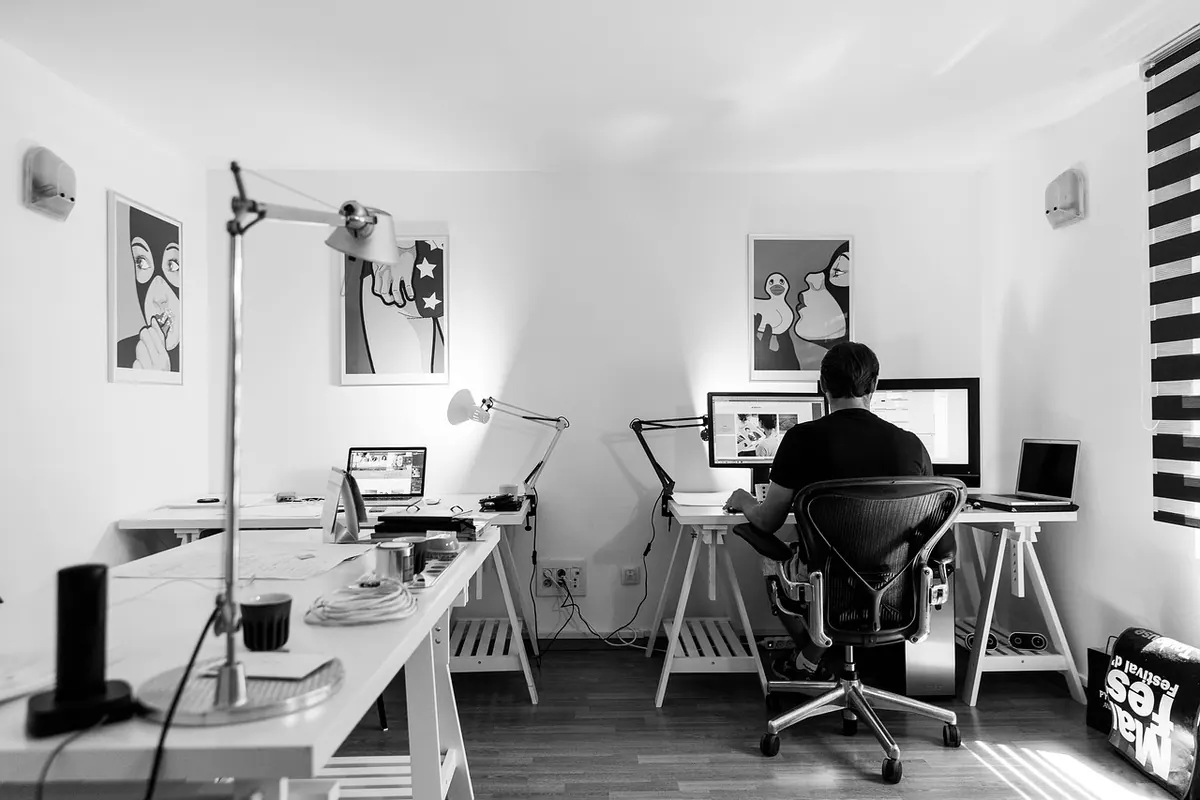
Photo: JessBaileyDesign / Pixabay